 redact4AI
Redact sensitive
data from PDFs
Keep your personal information private with
an AI assistant that runs entirely on your Mac.
No cloud. No data leaves your device.
Simple, private and powerful
Redact personal data, financial details and more — with local AI
that never leaves your Mac.
AI-powered redaction
Detects and removes names, emails,
phone numbers, addresses, IBANs
and more — automatically.
100% on your Mac
Your files and data never leave
your device. No cloud, no uploads,
no privacy risks.
Fast and easy
Just open your PDF, let the AI find
sensitive data, and review the results.
It’s that simple.
Works with PDFs and images
Finds personal data in text, scans
and images using OCR.
Flexible control
Review, edit or change the rules.
Choose between simple or detailed
modes.
Built for real world documents
From contracts to invoices, redact4AI
handles it all — so you can share
with confidence.
Drop a file. Get it back clean.
Everything runs by itself: names are replaced, everything else is cleared. You see every spot before you download.
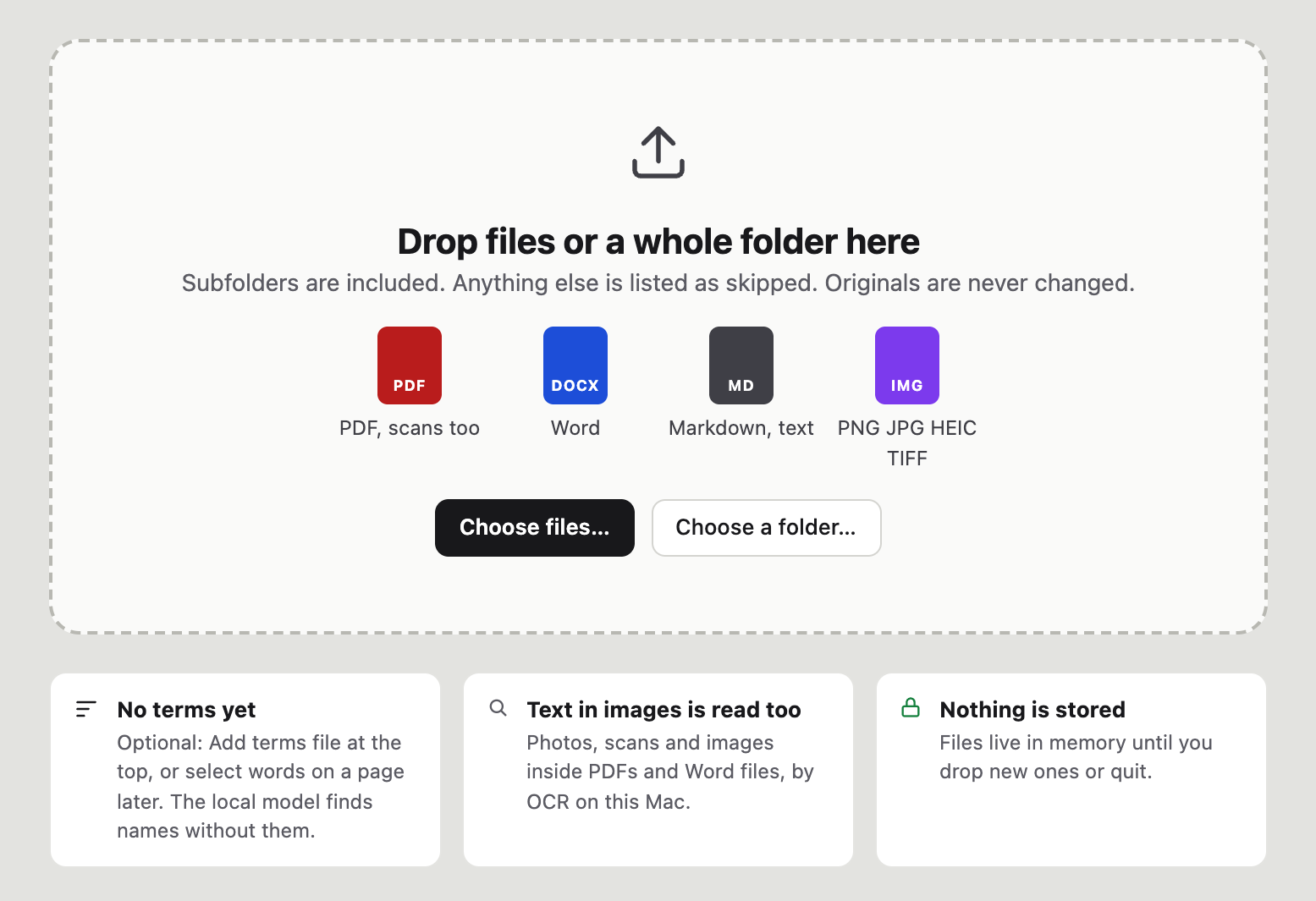
Drop files or a whole folder
Subfolders are included. Anything else is listed as skipped. Originals are never changed.
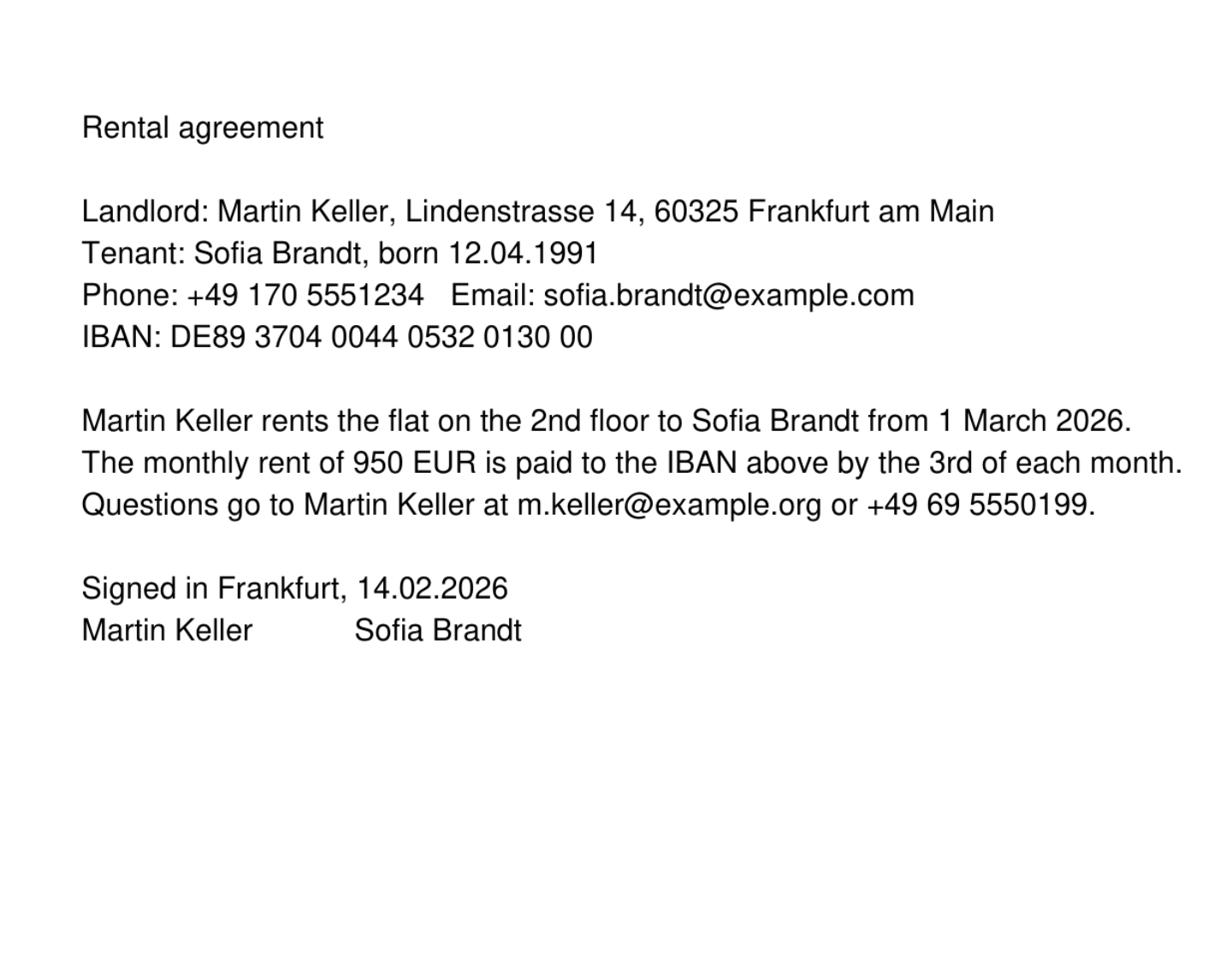
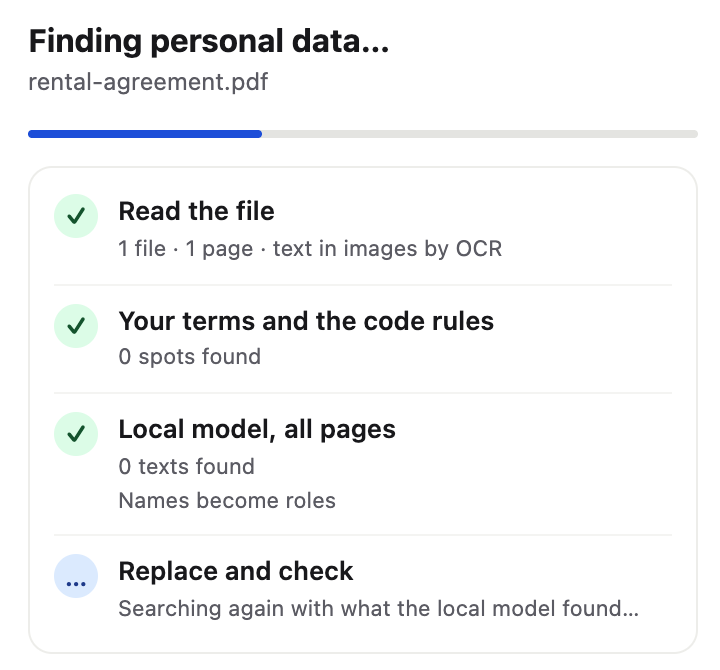
It finds the personal data
Your saved terms, the code rules and a local model on this Mac read every page. Text in images is read by OCR.
- Names, addresses, phones, emails, IBANs, birth dates
- Photos, scans and images inside PDFs and Word files
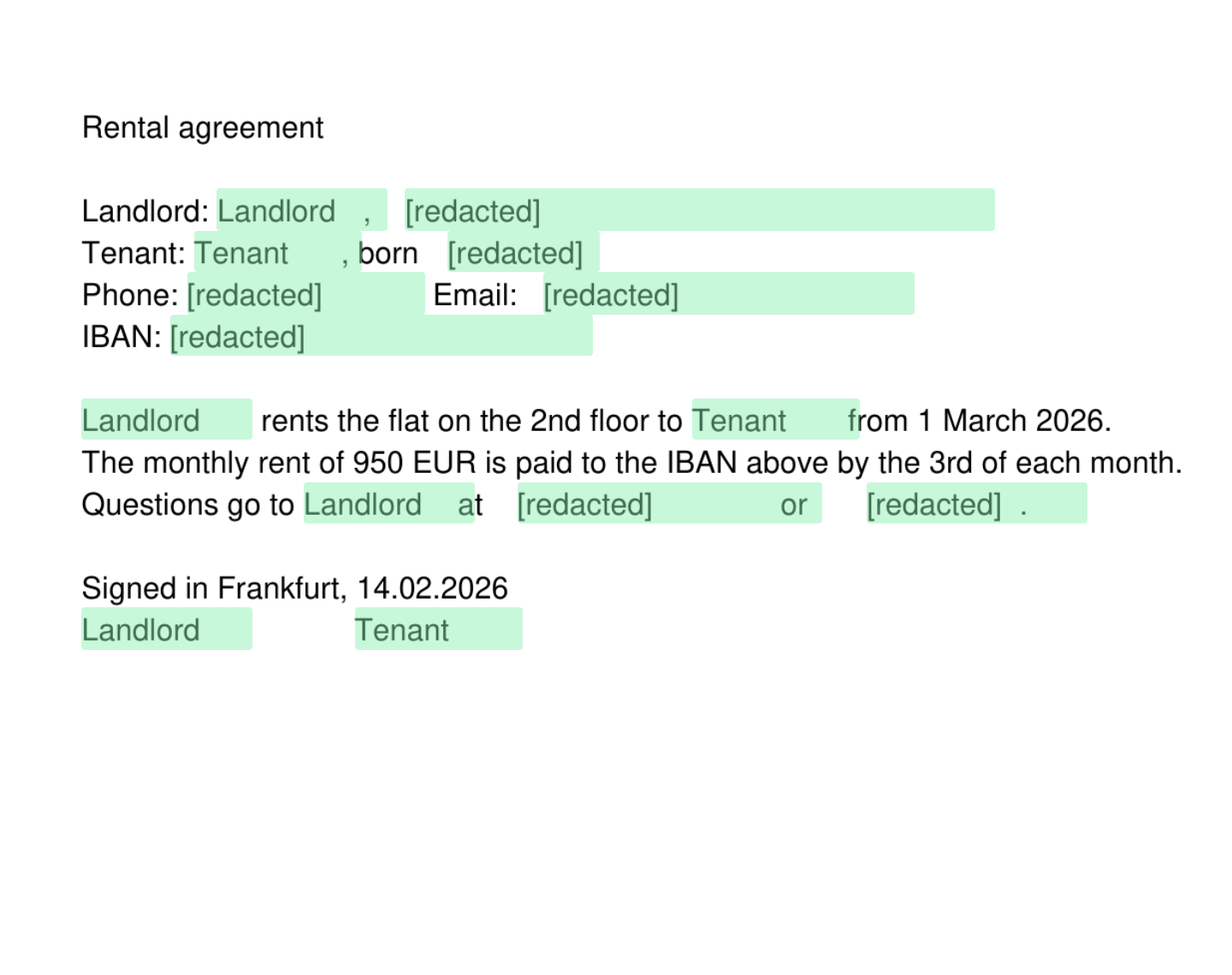
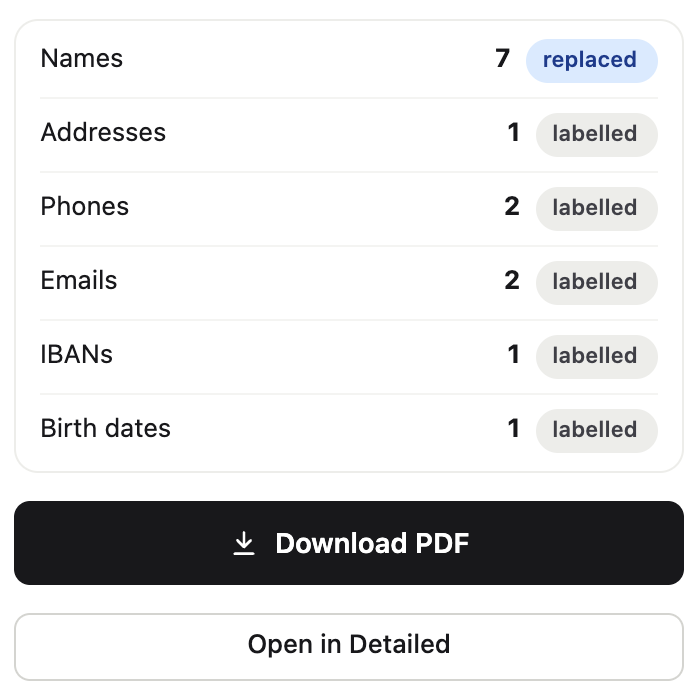
Check and download
Names are replaced, the rest is cleared, and the result is checked again by OCR: nothing personal is readable in it. Review or change anything in Detailed, then download.
- Ready · 15 spots removed, counted by kind
- Replaced and checked by OCR
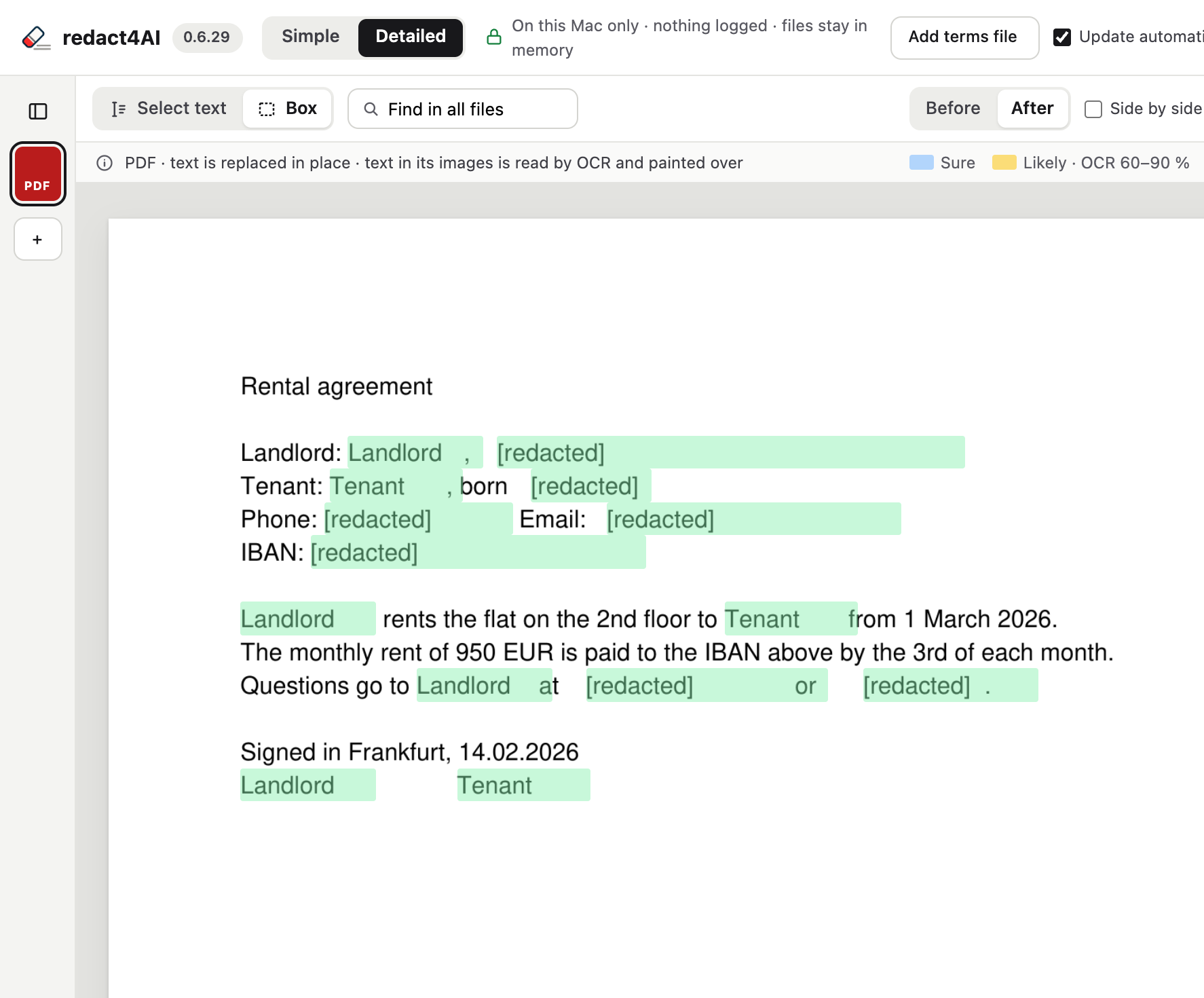
See every spot. Change any of it.
Simple does everything for you. Detailed shows every spot that will be replaced, before anything changes.
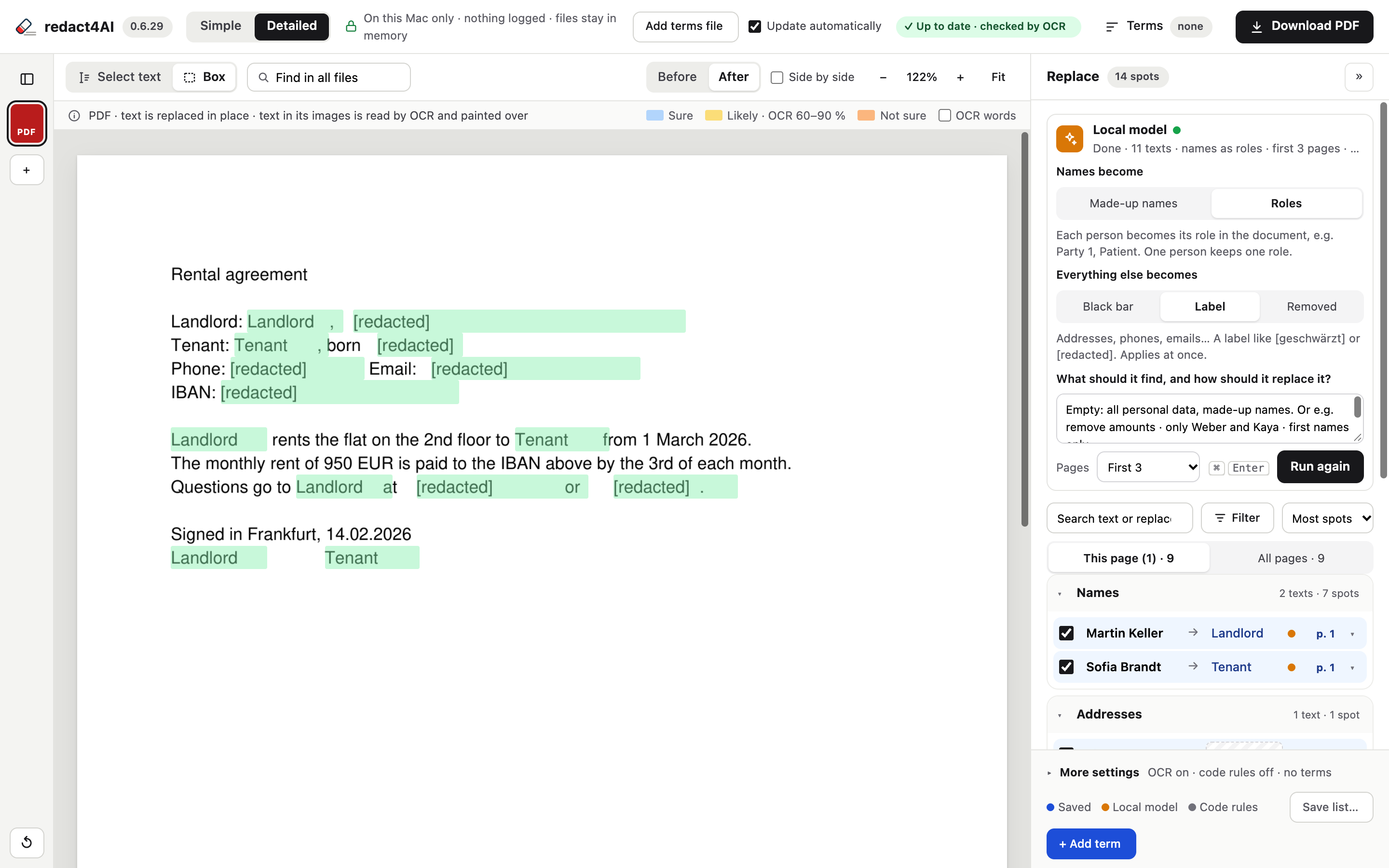
Simple or Detailed
Simple runs everything by itself. Detailed lets you review, add terms or draw a box.
Before and after
Switch between Before and After, or look at both side by side.
How sure it is
Every spot is marked by how sure the check is:
Local model
rapid-mlx on this Mac finds and writes replacements. Its replacements win over the code rules. Yours win over both.
Your files never leave your Mac
The local model, the OCR and your terms all run on this Mac. Nothing is uploaded, nothing is logged.
On this Mac only.
Nothing logged.
Files live in memory until you drop new ones or quit. Nothing is stored.
- The local model and the OCR run on this Mac
- Activity is in memory only: steps, times and counts, no names or text
- Terms typed for a run stay in memory only, never saved

Originals are never changed
You download the redacted result. The files you dropped are never changed.
Text in images is read too
Photos, scans and images inside PDFs and Word files, by OCR on this Mac.
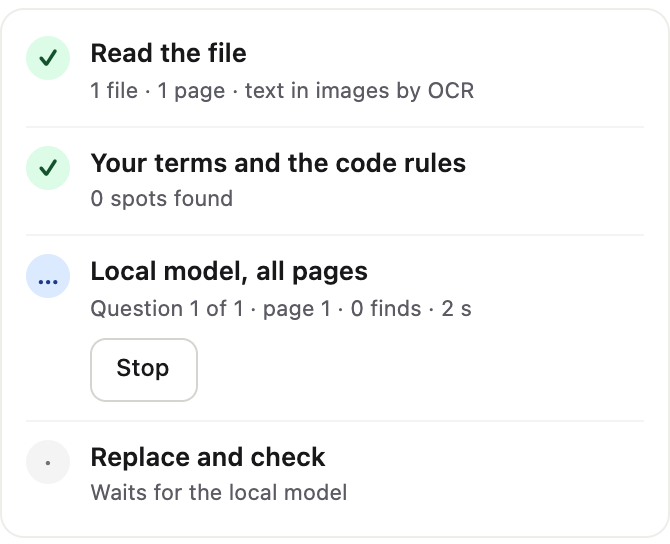
The local model runs on this Mac
rapid-mlx reads every page of every file, finds the personal data and writes the replacements, here on this Mac. You see how far it is, and you can stop it.
Good to know
Is anything uploaded?
Which files can I drop?
What happens to the names?
How do I know nothing was missed?
Can I save my own terms?
What if I forget the password of my terms file?
It’s local. It’s fast. It’s yours.
redact4AI runs entirely on your Mac, so your sensitive data
stays where it belongs — with you.